Shooting
Focus and zoom
Autofocus and manual focus with the distance dial, the rectangle that turns green when the image is sharp, digital zoom from 1× to 4×, and what you can't do with depth of field.
Autofocus#
At first focus is automatic: the readout says AF. The camera focuses by itself and follows the scene. Tap the viewfinder where you want the focus: autofocus works there.
Manual focus#
Tap the AF readout and turn the dial: focus becomes manual, the readout says MF with a small scale, and the focus rectangle appears in the viewfinder.
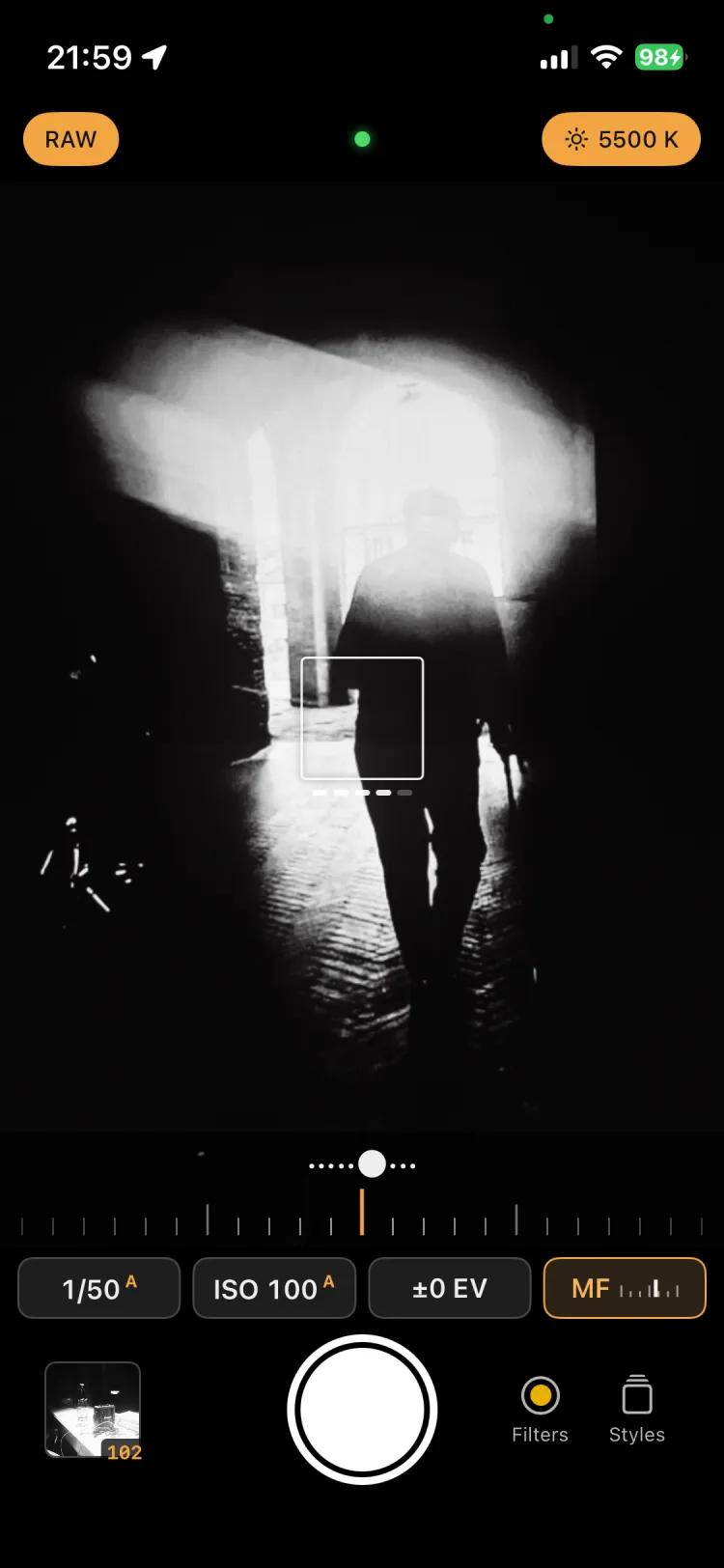
- The dial goes from near on the left to far on the right, in 41 positions. iOS does not give the distance in metres: the scale only shows where the lens is.
- The rectangle measures sharpness in its area. The five marks below it light up as you get closer to focus, and when sharpness is at its peak the rectangle turns green.
- Move it wherever you like: tap another point in the viewfinder, or drag the rectangle with your finger. It can be anywhere in the frame, not just in the centre.
Manual focus stays put until you change it: this is how you do zone focusing. Focus on a point at the right distance, then wait for the subject to enter it and shoot without the autofocus hesitating.
To go back to autofocus, press and hold the MF readout, or double tap the dial.
Depth of field#
The iPhone has a fixed aperture and a small sensor: it cannot change the depth of field. With the main lens almost everything, from one metre to infinity, is in focus at the same time. Very close things (less than half a metre) stand out from the background; the rest does not.
Some styles simulate a vintage lens wide open, with soft edges and a little glow: that is a character of the print, not real depth of field.
Zoom#
Drag vertically on the viewfinder (or pinch with two fingers): from 1× to 4×. While you zoom the factor appears at the bottom of the viewfinder.
Zoom is digital: Procol always uses the main lens and keeps the centre of the sensor. The short side follows the viewfinder format.
| Zoom | Long side of the photo (12 MP iPhone) | Good for |
|---|---|---|
| 1× | 4032 px | everything |
| 2× | 2016 px | prints up to 20×25 cm, screen |
| 3× | 1344 px | screen, phone |
| 4× | 1008 px | small screen, coarse grain |
With RAW the sensor's negative is always whole, and the iPhone gives it only at 1×. So when you shoot RAW with zoom, the viewfinder goes wide for a moment and the RAW coming… bar appears: Procol takes the whole negative, then puts the zoom back where it was. Meanwhile the LED at the top is amber and the shutter button waits.
The print has the same crop you saw in the viewfinder before shooting: Procol remembers the frame's zoom and crops that centre. The RAW negative stays whole inside the frame.
Zoom stays where it is between one shot and the next. To go back to 1×, drag all the way down.