Shooting
Exposure
Shutter speed, ISO and compensation: automatic, priority modes, full manual with the light meter, and how to go back.
A well-exposed negative is half the print. Procol lets you decide as much as you want: everything automatic, one value yours and the other the camera's, or everything by hand with the light meter.
The iPhone has a fixed aperture: there is no diaphragm. Exposure is made with just two values, shutter speed and ISO, plus compensation, which shifts the light meter's judgement.
The three readouts#
Below the viewfinder, the first three buttons are exposure:
- shutter speed (for example 1/125): how long the shutter stays open. From 1/8000 of a second to 1″, in thirds of a stop, as far as your iPhone goes.
- ISO (for example ISO 400): the sensitivity. From ISO 25 to ISO 12800 in thirds of a stop, as far as your iPhone goes. The higher it is, the more digital noise there is; Procol's grain covers it well, but the image is still poorer.
- EV (for example ±0 EV): compensation, from −2 to +2 stops in thirds.
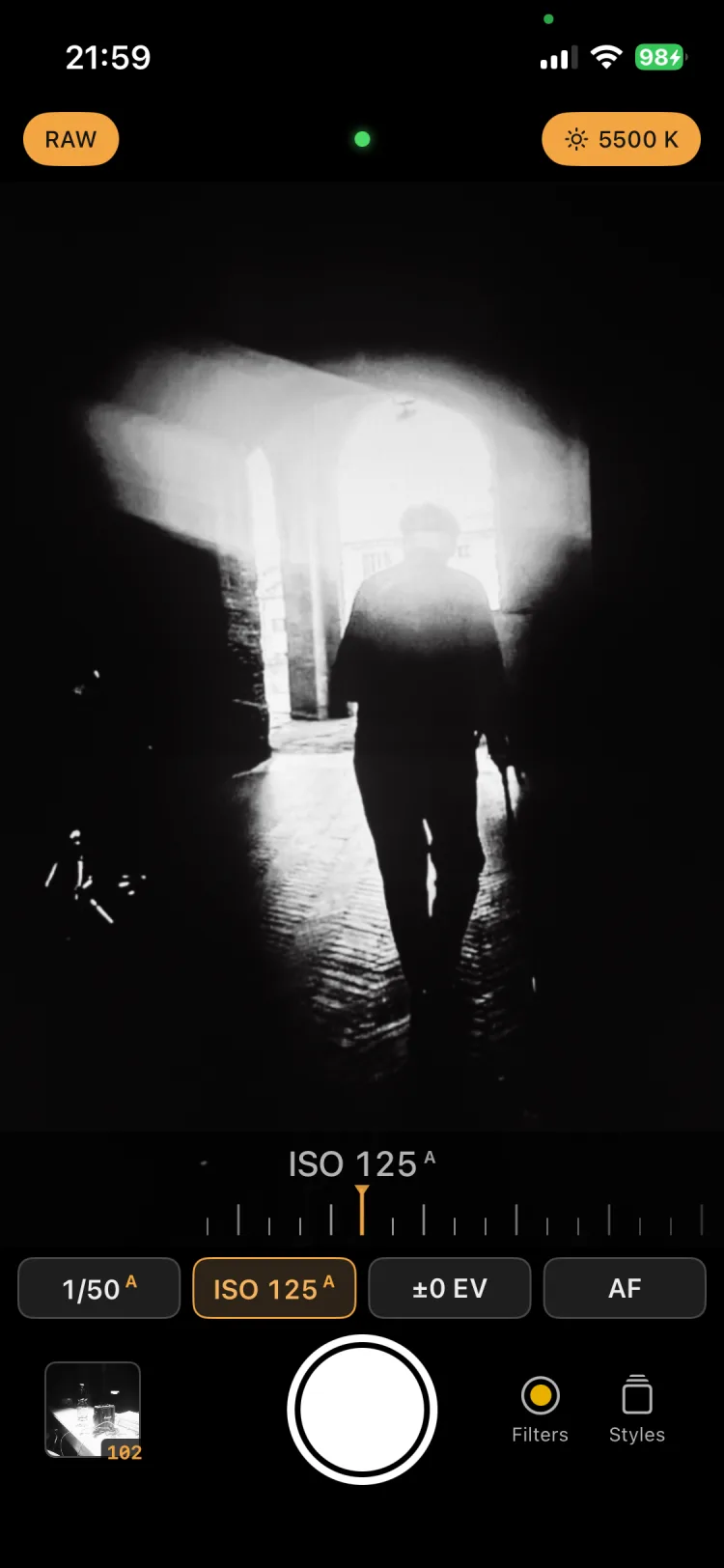
A value with the amber ᴬ is automatic: the camera changes it by itself, and the readout tells you which value it is using right now, rounded to the camera scale (1/40, ISO 640…).
Fully automatic#
This is the starting point: shutter speed and ISO automatic, compensation at zero. The camera meters the light where you tap the viewfinder (at first, in the centre) and brings it to a mid grey.
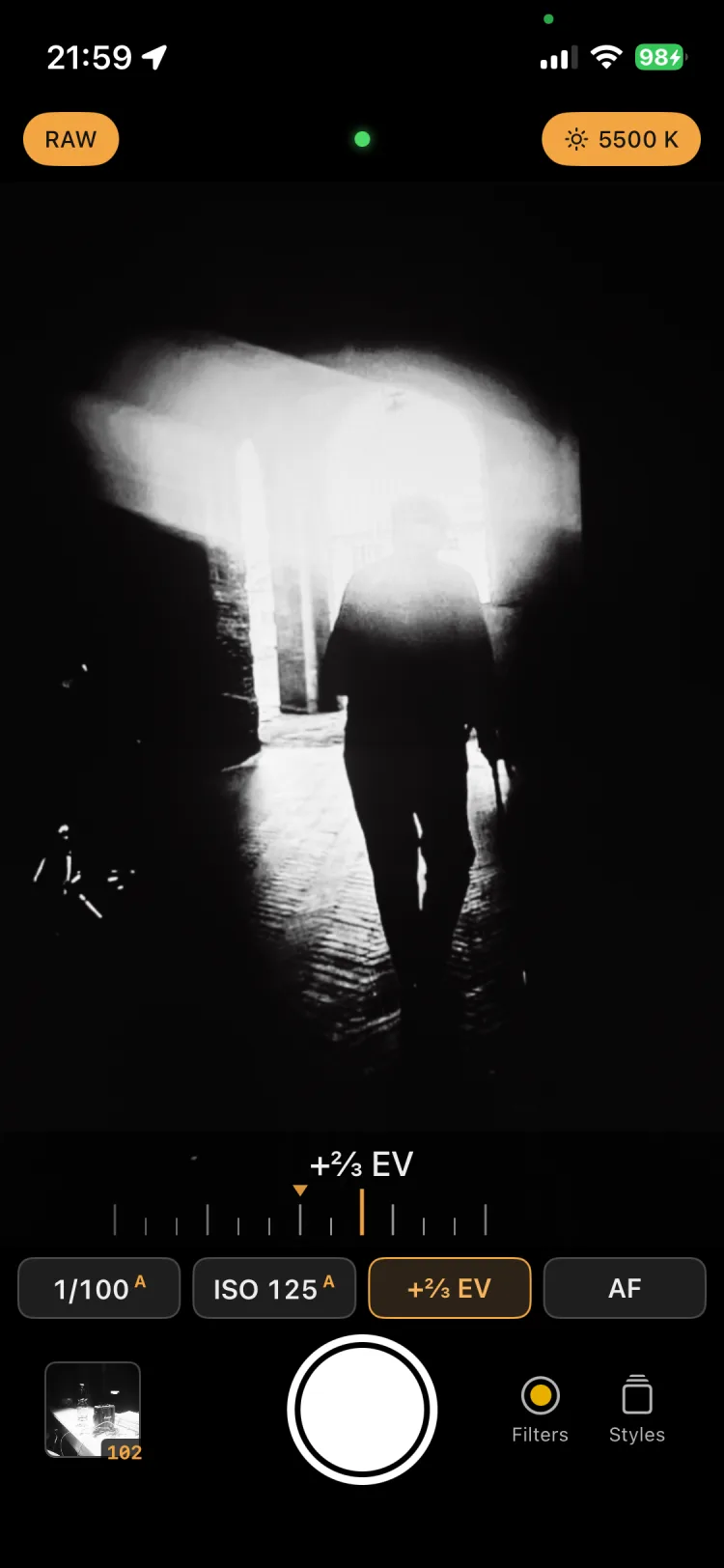
Compensation corrects that judgement. Tap EV and turn the dial: at +⅔ the photo comes out lighter, at −1 darker. Use it when the scene is not "average": snow, a beach, a white wall want more light (+), a subject on a black background wants less (−). The amber mark on the dial is zero.
Shutter or ISO priority#
Tap the shutter speed readout and turn the dial: the shutter speed becomes yours, the ᴬ disappears. ISO stays automatic and adapts to keep the exposure right. This is shutter priority: choose 1/500 to freeze movement, 1/15 to let it flow.
Do the same with ISO and you have sensitivity priority: choose ISO 100 for the cleanest grain, and the shutter speed gets as long as it needs.
In both, compensation still applies.
The amber mark on the shutter speed and ISO dials shows the value the light meter judges right at this moment. Putting the dial on the mark is like telling the camera "you decide, but with my value".
Full manual#
If you set both, shutter speed and ISO, you are in full manual: the camera no longer corrects anything. The EV button becomes the light meter (Light meter, for VoiceOver), as in the viewfinder of rangefinder cameras:
| Light meter | What it means |
|---|---|
| ▸ ● ◂ with the dot lit | correct exposure, within a sixth of a stop |
| ▸ lit, with the value (e.g. −1⅓) | the photo comes out darker than mid grey |
| ◂ lit, with the value (e.g. +⅔) | the photo comes out lighter |
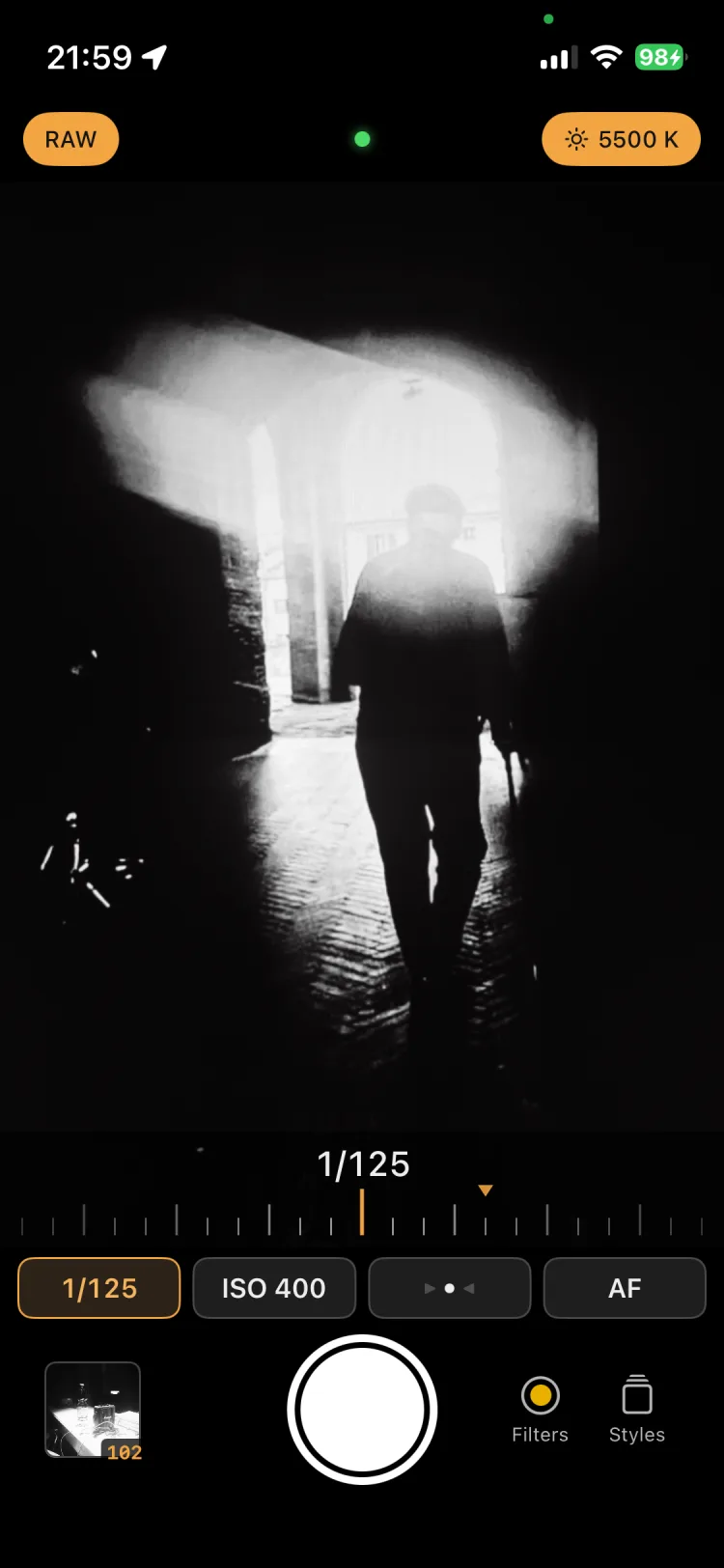
In manual the light meter advises, it does not decide: a night in the city may want −2, a window against the light +1. The viewfinder shows you the result straight away.
Back to automatic#
Three ways, choose whichever suits you:
- press and hold the readout button (shutter speed, ISO or EV) for almost half a second: it goes back to automatic, with a soft tap;
- double tap the open dial;
- for compensation, bring the dial to the zero mark.